Connects: Arts+Culture
- 4.3
- Rating
- 1.00M
- Installs
- Free
- Price

 Analysis by App-foxy
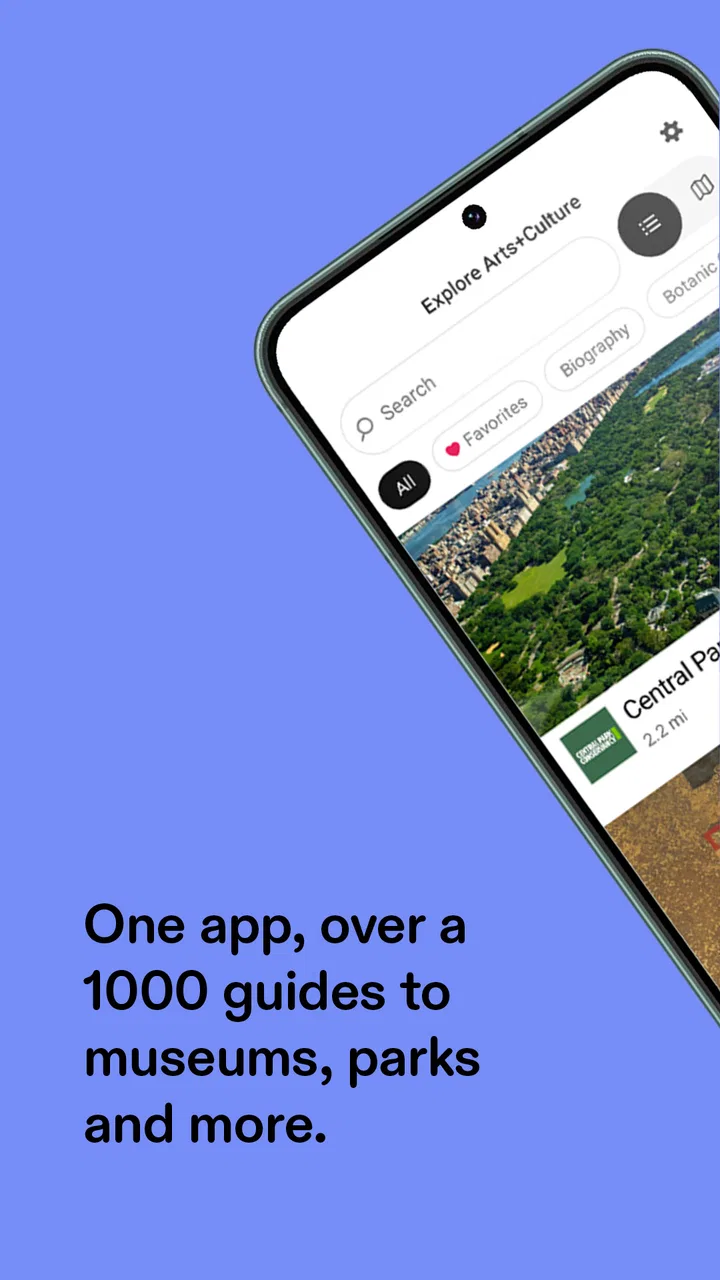
I opened Connects: Arts+Culture expecting a simple museum companion, but it works better when I treat it as a starting point for exploring cultural places rather than as a replacement for a full visit. The app brings arts and culture material into one mobile experience, making it useful when I want context before arriving somewhere, guidance while I am there, or ideas for what to explore next. It is a free education app from Bloomberg Connects, rated for Everyone, and its broad reach—over one million installs with a 4.3 average—suggests that it has found a practical role for casual visitors as well as people who regularly seek out exhibitions and cultural spaces.
My overall impression is positive, with one important qualification: the value depends on whether the places and content relevant to you are represented. When the app has useful material for a museum, gallery, garden, or other cultural destination I care about, it can make a visit feel more intentional. When I am looking for a complete directory of every local arts venue, a ticketing service, or a deep academic research tool, I would choose something else. That distinction matters more than the attractive idea of carrying an arts guide in my pocket.
How I use it before, during, and after a cultural visit
I use Connects: Arts+Culture as a light thread through a visit, not a checklist to complete. Before I go, I look for a useful starting point and decide what I’m curious about; while I’m there, I keep the phone secondary; afterward, I return to the questions that stayed with me. That rhythm makes it easier to get context without letting preparation crowd out the experience itself.
You May Also Like

 Blood Strike: 2.5 Anniversary
Blood Strike’s Loadouts Turn Every Drop Into a Tactical Gamble
A close look at Blood Strike’s custom loadouts: how fast access to signature weapons reshapes its battle royale rhythm, rewards preparation, and narrows the gap between fights.

 Pandora - Music & Podcasts
Pandora’s Music Is Easy to Start, but Harder to Recover
Pandora’s strength is its low-effort path from a seed to a station. Its weak spot is how much confidence it asks you to place in connection, setup, and quiet recovery.

 8 Ball Pool
 Is Built on Rivalries, Rematches, and Routine
A close look at the rivalries, rematches, shared routines, and unanswered safety questions that turn a quick pool match into a persistent mobile community.

 Samsung Music
’s Quiet Strength Is Playing What You Already Own
Its reach comes less from spectacle than from dependable access to a personal library. That simplicity is both the app’s strongest retention engine and its ceiling.

 AccuWeather: Weather Radar
AccuWeather Review: A Quick, Clear Forecast for Everyday Decisions
For everyday plans, the best forecast is the one you can understand quickly. AccuWeather makes rain timing, radar, and local conditions easy to act on, with a few trade-offs.

 Hill Climb Racing
Why Hill Climb Racing Still Turns Crashes Into One More Run
A tiny car, a bumpy hill and one more upgrade: Hill Climb Racing keeps resurfacing because its simple chaos makes every near-miss feel personal.
More From Our News Desk



Starting with a destination instead of browsing aimlessly
The most reliable workflow for me begins with a specific intention. I might be planning a weekend outing, checking what to see during a trip, or trying to understand a place I have passed many times. Rather than scrolling without a plan, I first look for a relevant institution or cultural subject, then use the available material to decide whether it deserves time on my itinerary.
This approach makes the app feel less like a social feed and more like a compact orientation layer. I am not asking it to replace the building, the artwork, or the staff. I am using it to answer practical questions in my own head: What kind of experience might this be? Which parts sound most interesting to me? Should I visit with a child, alone, or with someone who is not already enthusiastic about museums?
A realistic example is a Saturday afternoon when I have two hours free in an unfamiliar city. I can use Connects: Arts+Culture to investigate cultural options before leaving the hotel, save the most promising destination in my mental plan, and arrive with a few themes or works I want to notice. That preparation changes the visit from wandering through rooms while reading every label into a more relaxed search for details that already caught my attention.
Using the app as a companion, not an audio-tour promise
One of the easiest mistakes is assuming that every cultural app provides the same kind of guided tour. I would not approach this one expecting a uniform, step-by-step audio route for every location. The experience can vary according to the institution and the material it has chosen to present. Some content may be especially useful for orientation, while other material may reward slower reading and independent browsing.
That variation is not automatically a weakness, but it changes how I prepare. I check the destination content before I arrive rather than waiting until I am standing at the entrance. If the material gives me a clear sense of what is available, I use it as a lightweight plan. If it feels more like background information, I keep my expectations modest and let the physical visit lead.
This is also why I prefer using the app in short sessions. I read enough to create a mental map, put the phone away, and return to it only when I need context. Constantly looking down can make a cultural visit feel like a screen-based assignment. The strongest use of the app is often the opposite: a few minutes of preparation that help me spend more time looking carefully in the real world.
Returning after the visit
The app can remain useful after I leave because a first visit rarely gives me enough time to absorb everything. I may remember a work without remembering its title, or leave with a question that only occurs to me on the journey home. Revisiting the relevant material gives me a way to reconnect with the experience instead of treating the visit as finished the moment I exit.
I find this especially helpful when visiting with friends or family. During the outing, conversation and movement naturally interrupt attention. Later, I can revisit the ideas that interested me and share a more thoughtful explanation without pretending that I understood everything immediately. That makes the app valuable for informal learning, even when I am not taking a formal course.
Settings and habits that reduce friction
There is no single configuration that makes every cultural app work perfectly, so I focus on a few practical checks. I make sure the app is updated, since the current version is 2026.8.17 and newer releases can affect how smoothly content is presented. I also check the device’s general display and text settings if I expect to read for a while. Comfortable reading matters more here than squeezing every item onto one screen.
I pay attention to how I handle connectivity as well. I do not assume that every page or piece of media will behave identically in a crowded venue or while travelling. Before a visit, I open the material I know I will need and give myself time to see whether it loads as expected. That simple habit prevents me from making the phone the centre of the visit while I troubleshoot at the entrance.
Notifications are another area where restraint helps. If the app or the device presents alerts, I prefer to keep them purposeful rather than allowing every possible prompt to compete with daily life. An arts guide should support my plans, not turn cultural discovery into another stream that demands constant attention.
The minimum operating-system requirement is Android 8.0, which keeps the app accessible on many older Android devices. Still, compatibility is only one part of the experience. A larger screen can make extended reading more comfortable, while a newer phone may feel quicker when moving through rich content. I would not upgrade a device just for this app, but I would choose the device that makes reading easiest when I have the option.
Shortcuts that make repeat visits easier
My main shortcut is to create a repeatable pre-visit routine: identify the place, scan the available overview, select a small number of things to notice, and stop researching before the visit becomes homework. This keeps the app useful for both spontaneous and planned outings. If I am travelling, I do the same process for several possible destinations and then choose based on time, interest, and location.
Another useful pattern is to use the app with a simple note on my phone. I write down a few names, questions, or themes rather than copying long descriptions. That gives me something practical to remember while leaving the app free for checking details. It also exposes an important trade-off: Connects: Arts+Culture can help me discover and understand material, but I still need my own system if I want a lasting personal record of every visit.
For families, I would adapt the workflow rather than handing the phone to a child for the entire outing. Before entering, I choose a few age-appropriate questions based on what I have read. During the visit, we look for answers together. This turns the app into a conversation prompt instead of a passive screen. Because the content rating is Everyone, it is suitable for a broad audience, but suitability for a particular child still depends on the subject and the way an adult frames it.
For students, the best shortcut is to separate discovery from citation. I can use the app to find themes and develop questions, but I would not treat a brief mobile presentation as automatically sufficient for a research paper. A class assignment may require catalogues, books, academic sources, or official institutional material beyond what is convenient to browse on a phone. The app is strongest at helping me notice what deserves deeper research.
Where it compares well with ordinary alternatives
The usual alternative is searching the web one institution at a time. That can provide more complete practical details, but it often produces a scattered experience: one tab for a museum, another for a gallery, another for an exhibition page, and several unrelated articles for background. Connects: Arts+Culture is more coherent when I want cultural discovery and interpretation in the same place.
A second alternative is relying only on printed wall labels or a general travel guide. Printed information is refreshingly free from battery concerns and notifications, while a travel guide may be better for transport, opening times, neighbourhood planning, and restaurants. The app has an advantage when I want a more focused arts-and-culture layer, but it should sit alongside those resources rather than replace them.
Compared with a dedicated audio-tour app, this experience may be less predictable in format. A specialist tour service can be preferable when I want a carefully timed route, narration throughout a building, or a single consistent voice. I prefer Connects: Arts+Culture when I want flexibility: browse beforehand, dip into context, and decide for myself how much guidance to use.
Compared with social media, the app is better suited to purposeful discovery. Social platforms can reveal local events quickly and show personal reactions, but they also mix recommendations with advertising, trends, and unrelated content. I find the calmer, destination-focused approach more useful when my goal is to plan a visit rather than collect visual inspiration.
Limits experienced users should understand
The biggest limitation is coverage from the point of view of my own location and interests. A broad arts guide can be impressive and still fail to answer the question, “What can I see within walking distance today?” If the places I care about are not represented, the app cannot become useful through better browsing habits alone. In that situation, a local events calendar or map search is the better first tool.
Content depth can also vary. One destination may give me enough material to shape a visit, while another may leave me wanting fuller explanations. I see this as a reason to judge each destination separately rather than forming an opinion after opening only one page. The app provides a framework, but the institution’s own editorial choices influence how satisfying that framework becomes.
There is also a subtle risk of over-preparation. When I read too much before arriving, I begin hunting for the points I already know instead of allowing the place to surprise me. My solution is to choose a few anchors and leave the rest open. This is a genuine trade-off: more context can make art approachable, but too much context can narrow attention.
Phone use itself is another limitation. A screen is convenient for orientation, yet it can interrupt conversation, reduce eye contact, and make a shared visit feel individual. I would skip the app during the visit if my group is enjoying an unstructured experience or if the venue asks visitors to minimise phone use. Preparation beforehand often gives me the benefits without creating that distraction.
I would also skip it as my primary choice if I need detailed accessibility planning, live transport information, booking management, or a complete schedule for a particular day. Those tasks are usually better handled through the venue’s own channels or a local travel service. Connects: Arts+Culture is an educational companion, not an all-purpose trip organiser.
Who will get the most from it
I recommend it most strongly to curious travellers, museum newcomers, families looking for a gentle way into cultural visits, and regular visitors who want a central place to begin exploring. It is also a good fit for someone who feels intimidated by museums. The app can offer enough context to make the first step easier without requiring specialist vocabulary or prior knowledge.
Teachers and informal educators may find it useful for preparing discussion prompts, but I would use it as a supplement rather than a complete lesson plan. The same is true for students: it can spark questions and help organise an outing, while deeper assignments still need more rigorous sources.
I would recommend a different tool to someone who wants a comprehensive local events database, a strict guided route, or detailed logistics above all else. I would also be cautious about recommending it to a person who dislikes reading on a phone or who wants every visit to remain completely screen-free. In those cases, a venue’s printed guide, a human-led tour, or a conventional travel resource may be more satisfying.
My verdict after building a repeatable routine
Connects: Arts+Culture works best when I use it deliberately: prepare before leaving, check only what I need during the visit, and return afterward when a question remains. That workflow reveals its real strength. It does not try to make every cultural experience identical. Instead, it gives me a flexible layer of orientation and learning that can fit around the destination itself.
The app is free, which removes the main barrier to trying it, and its Everyone rating makes it approachable for shared use. Bloomberg Connects has also kept the product active, with a current version of 2026.8.17, while its release history reaches back to December 6, 2019. Those details matter less than the daily experience, but they reinforce my sense that this is an established companion rather than a one-off experiment.
My final recommendation is simple: install it if you enjoy museums, galleries, gardens, heritage spaces, or cultural travel and want a focused way to begin exploring. Do not expect it to replace venue websites, local listings, academic research, or a proper guided tour. Its best use is turning a vague cultural outing into a more informed, personal visit without taking the visit away from you. That balance is why I would keep it on my phone and suggest it to a friend who wants to get more from arts and culture without making the experience feel like work.
FAQs for Connects: Arts+Culture
01What is Connects: Arts+Culture, and what can I use it for?
Connects: Arts+Culture is an app designed to help users discover and engage with arts, culture, events, exhibitions, and creative experiences. Depending on the content available in your area, you may be able to browse cultural listings, learn about participating organizations, view event information, and find opportunities related to museums, galleries, performances, education, and community activities.
02Is Connects: Arts+Culture free to download and use?
The app may be free to download, but some events, exhibitions, workshops, or cultural activities listed through Connects: Arts+Culture can require payment or advance registration. Availability and pricing depend on the individual organization or event provider. Before attending, review the listing carefully for ticket costs, booking requirements, age restrictions, cancellation policies, and any additional fees that may not be included in the app itself.
03Does Connects: Arts+Culture require an account or personal information?
You may be able to browse some cultural content without creating an account, although certain features can require registration. An account may be needed to save activities, receive recommendations, register for events, or manage bookings. Before signing up, check which information is requested and review the app’s privacy policy to understand how account details, preferences, location information, and usage data may be collected or shared.
04Can I use Connects: Arts+Culture to find events near me?
Connects: Arts+Culture can be useful for discovering arts and cultural opportunities in a particular region, but the quality and quantity of local results depend on the organizations and locations supported by the platform. The app may use your selected area or device location to show relevant listings. If location access is optional, you can usually search manually, but results may be less personalized.
05What should I check before downloading Connects: Arts+Culture?
Before downloading, check whether the app supports your Android or iOS version and whether its content is relevant to your city, region, or cultural interests. Also review the latest update date, required permissions, privacy information, storage requirements, and user feedback. Keep in mind that event details can change, so confirm times, availability, accessibility, and booking instructions with the organizer before making plans.
Pros
- Discover exhibitions
- performances
- and cultural events in one place.
- Useful for finding nearby arts and culture activities.
- Supports exploration of local and international creative communities.
- Event information can help with planning visits and outings.
- Suitable for users seeking inspiration beyond mainstream entertainment.
Cons
- Coverage may vary significantly depending on your city or country.
- Some listings may require checking external websites for final details.
- The app may feel less useful outside major cultural centers.
- Frequent event updates can make saved information change quickly.
- Not every listed activity may include complete accessibility information.

Connects: Arts+Culture
Gallery